01/11
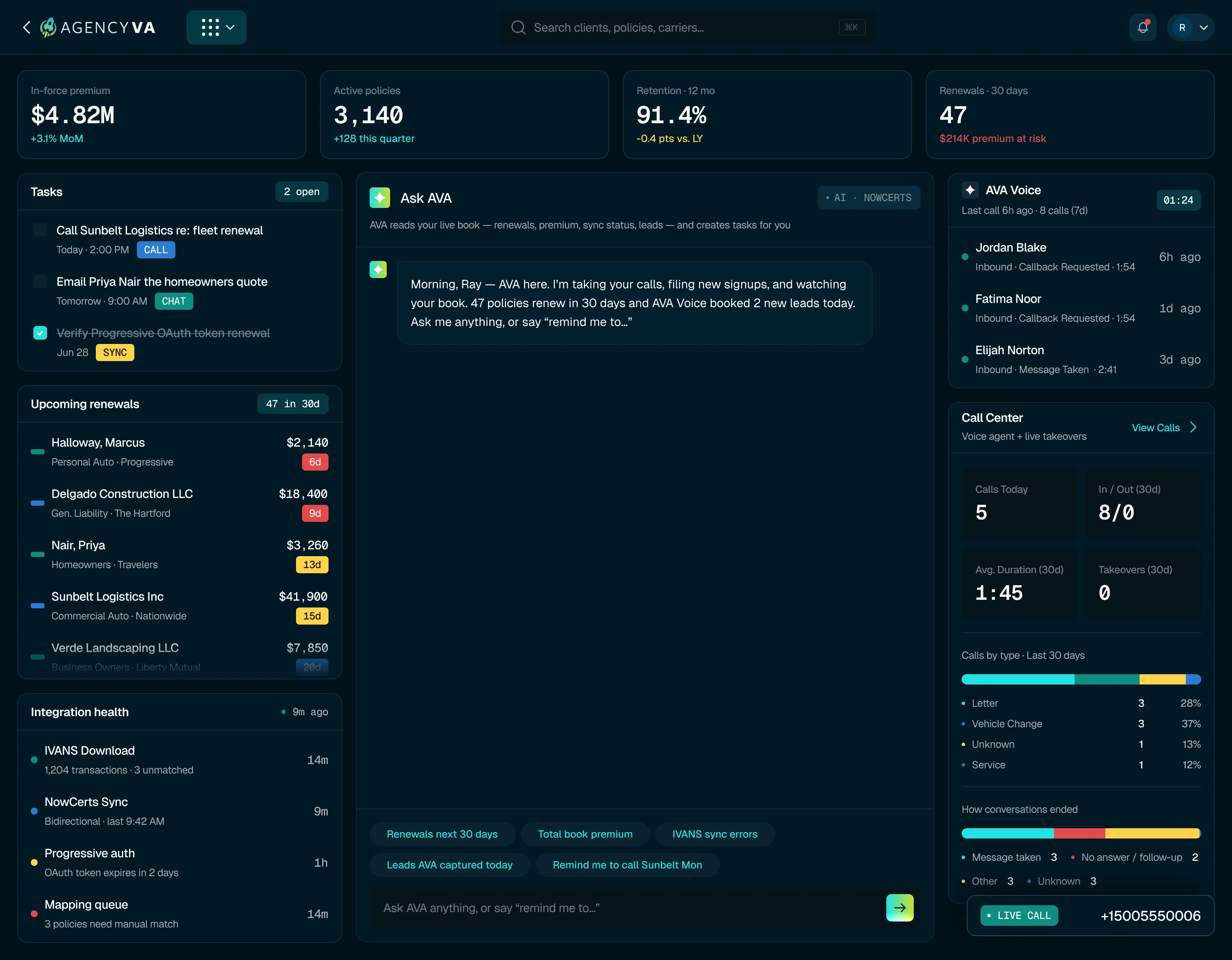
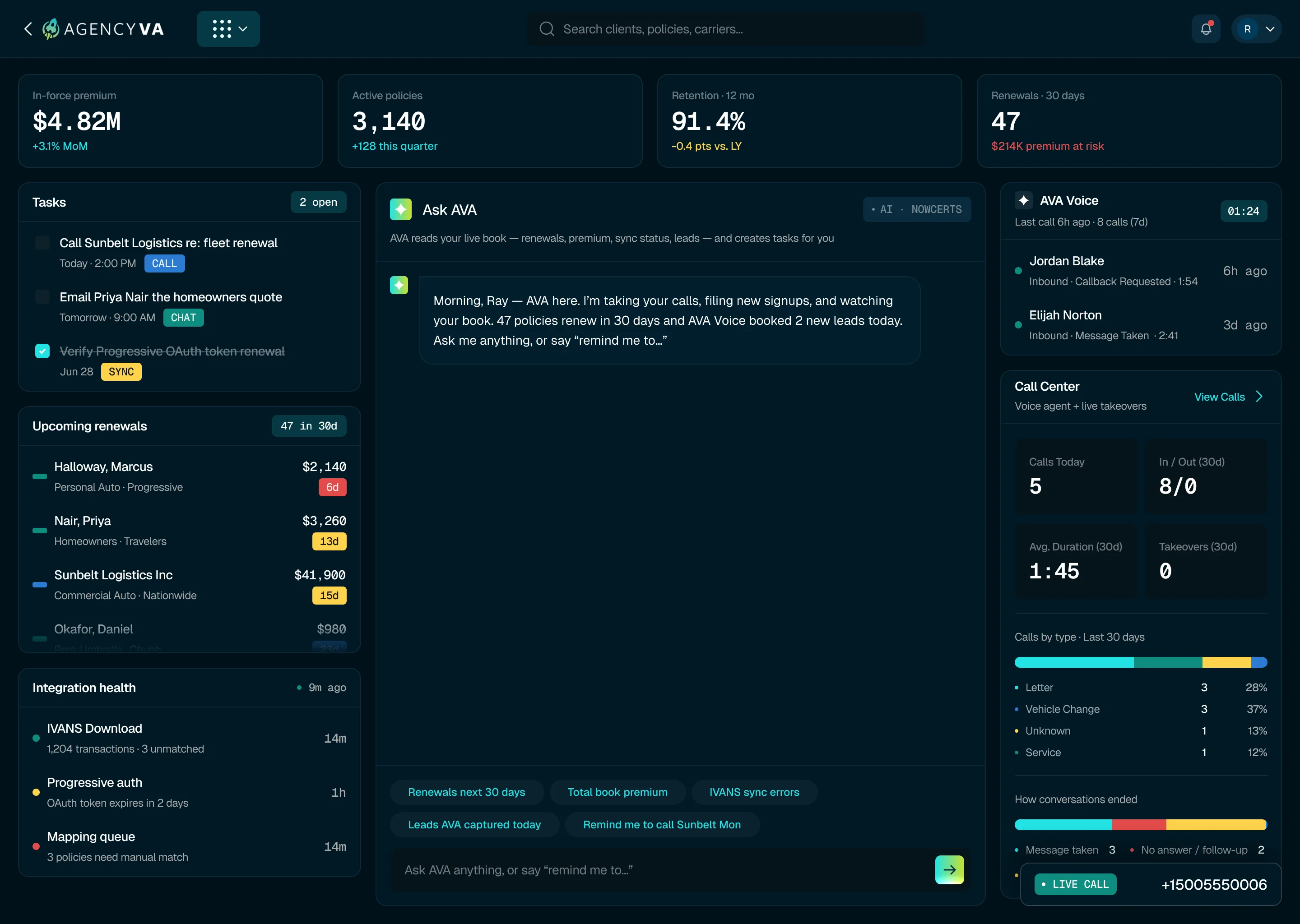
Dashboard
A current view of the agency
The dashboard brings together key information about the book
and the work happening around it. Review in-force premium,
active policies, retention, renewals at risk, upcoming work,
recent calls, and the status of connected data sources from
one place.

02/11
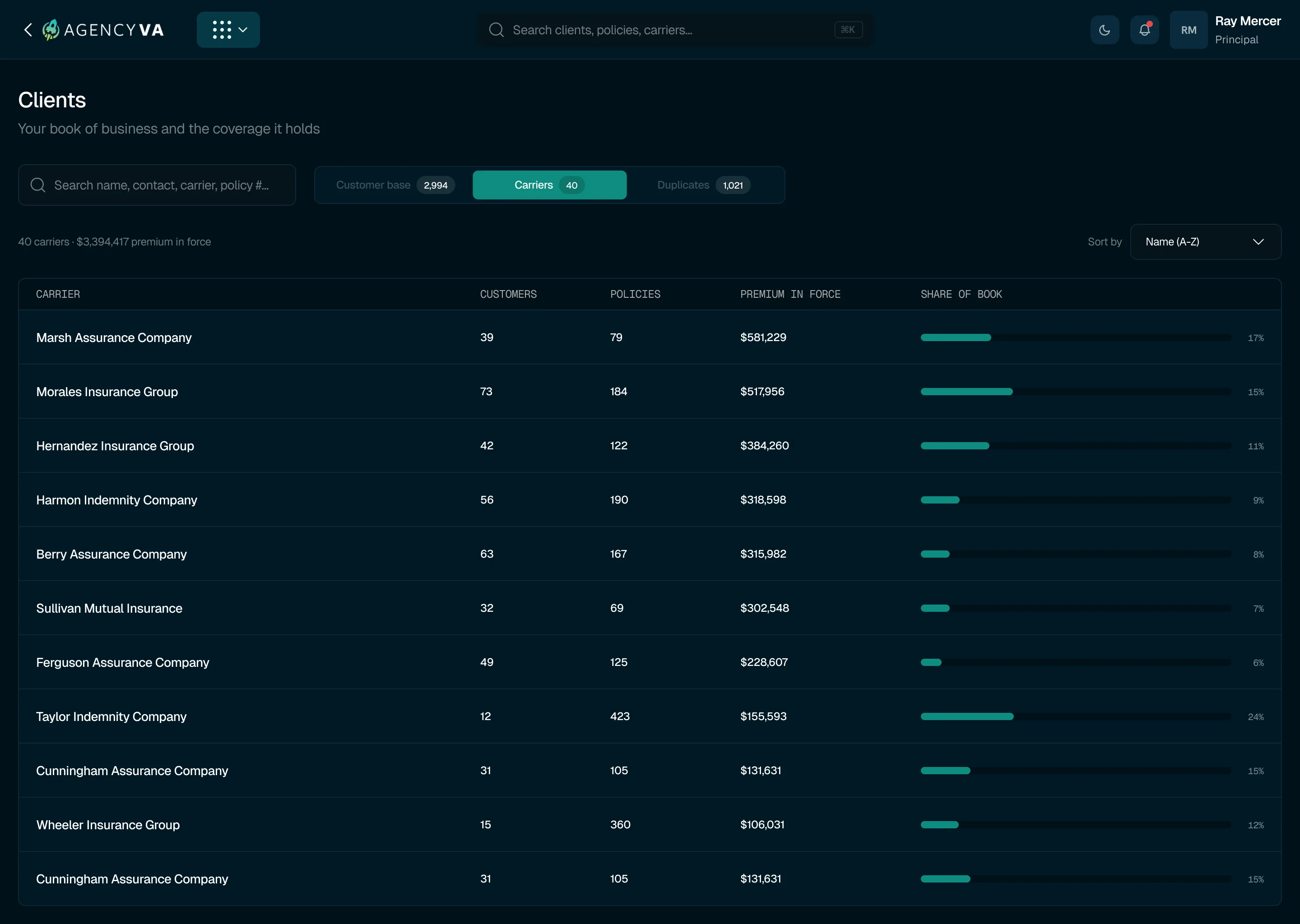
Clients
Understand the book at the client level
Review clients, policies, carriers, premium, and related
activity in a single view. AVA can also flag possible
duplicate records and provide the confidence and reasoning
behind each match for the team to review.
03/11
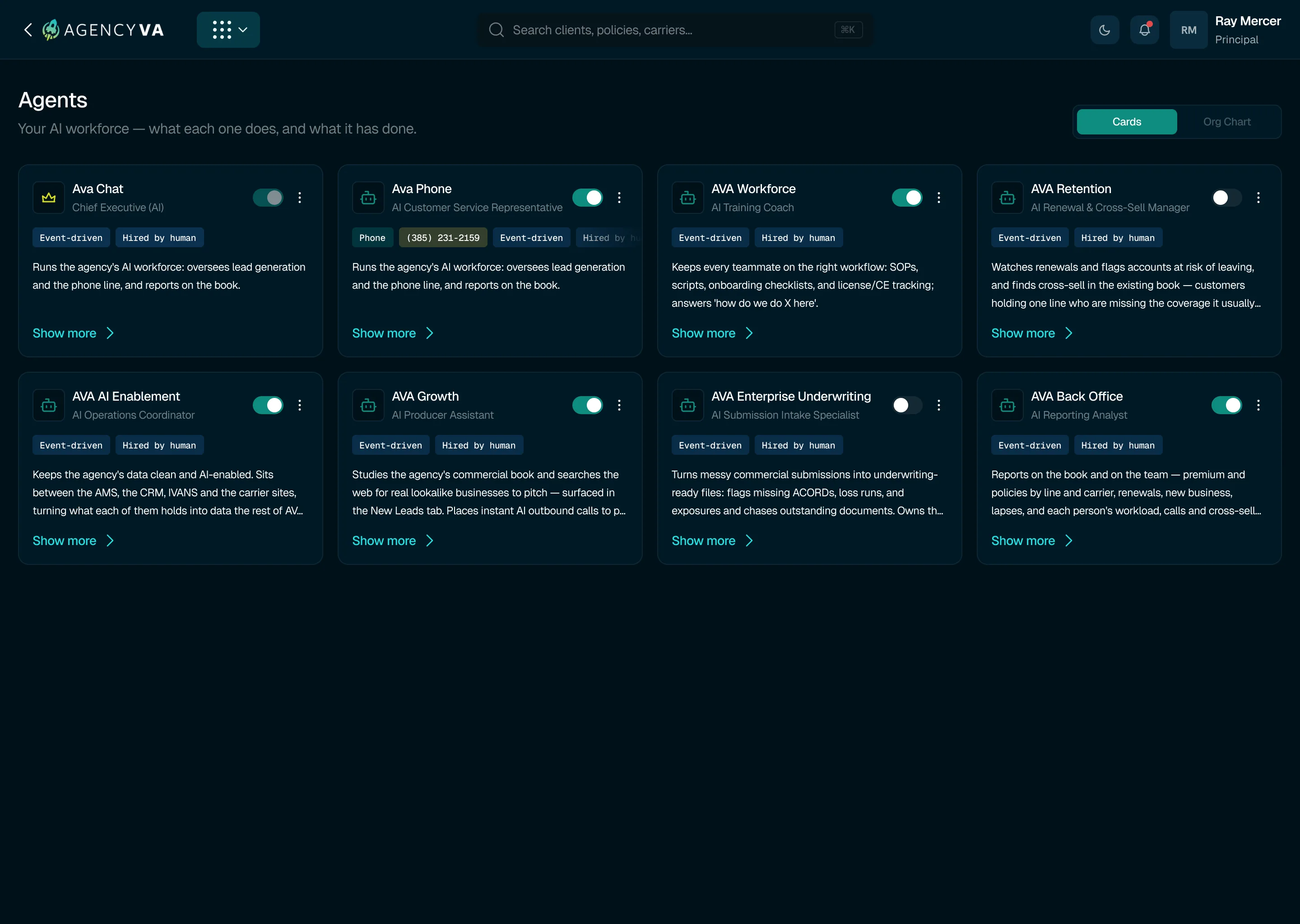
Agents
Manage the AI roles working across your agency
View the AVA agents available to your agency, see the
function each one supports, and check its current status.
Open an agent to review its responsibilities and
configuration, then control how that role is used within
Insurance OS.
04/11
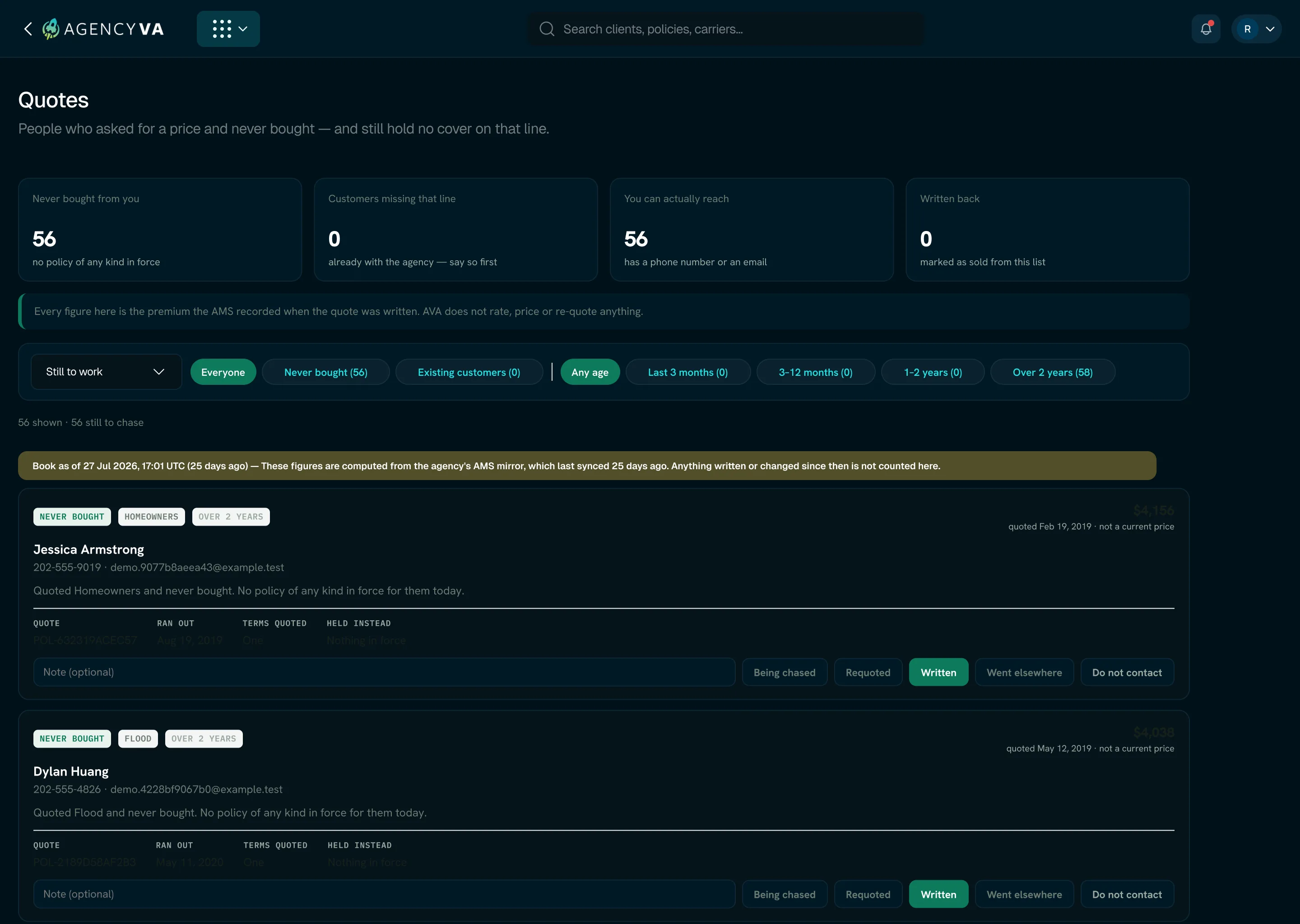
Quotes
Bring previous quote opportunities back into view
AVA surfaces earlier quotes that did not convert and helps
teams manage what happens next. Existing quote information,
current coverage status, and follow-up progress can be
reviewed without AVA independently rating or generating a
new quote.
05/11
Ask AVA
Work with agency data conversationally
Ask questions about the agency directly from the platform.
Ask AVA can help users review areas such as renewals,
premium, leads, and current activity, and can create
follow-up tasks when action is needed.
06/11
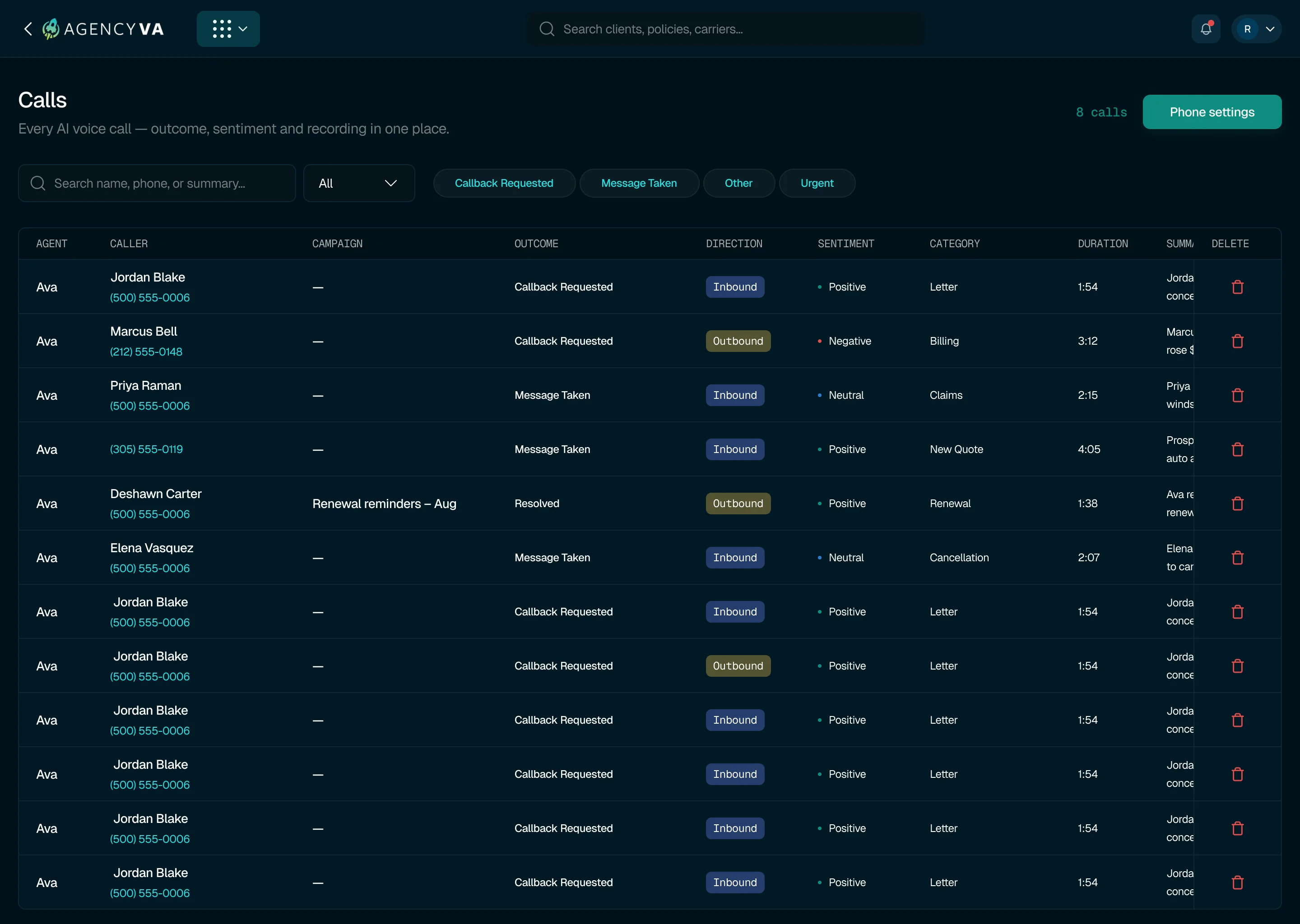
Calls
Keep AI-assisted calls visible to the team
Review supported inbound and outbound calls together with
their outcome, category, sentiment, duration, summary, and
transcript. When a conversation requires a person, supported
workflows can be handed over to an available licensed team
member.
07/11
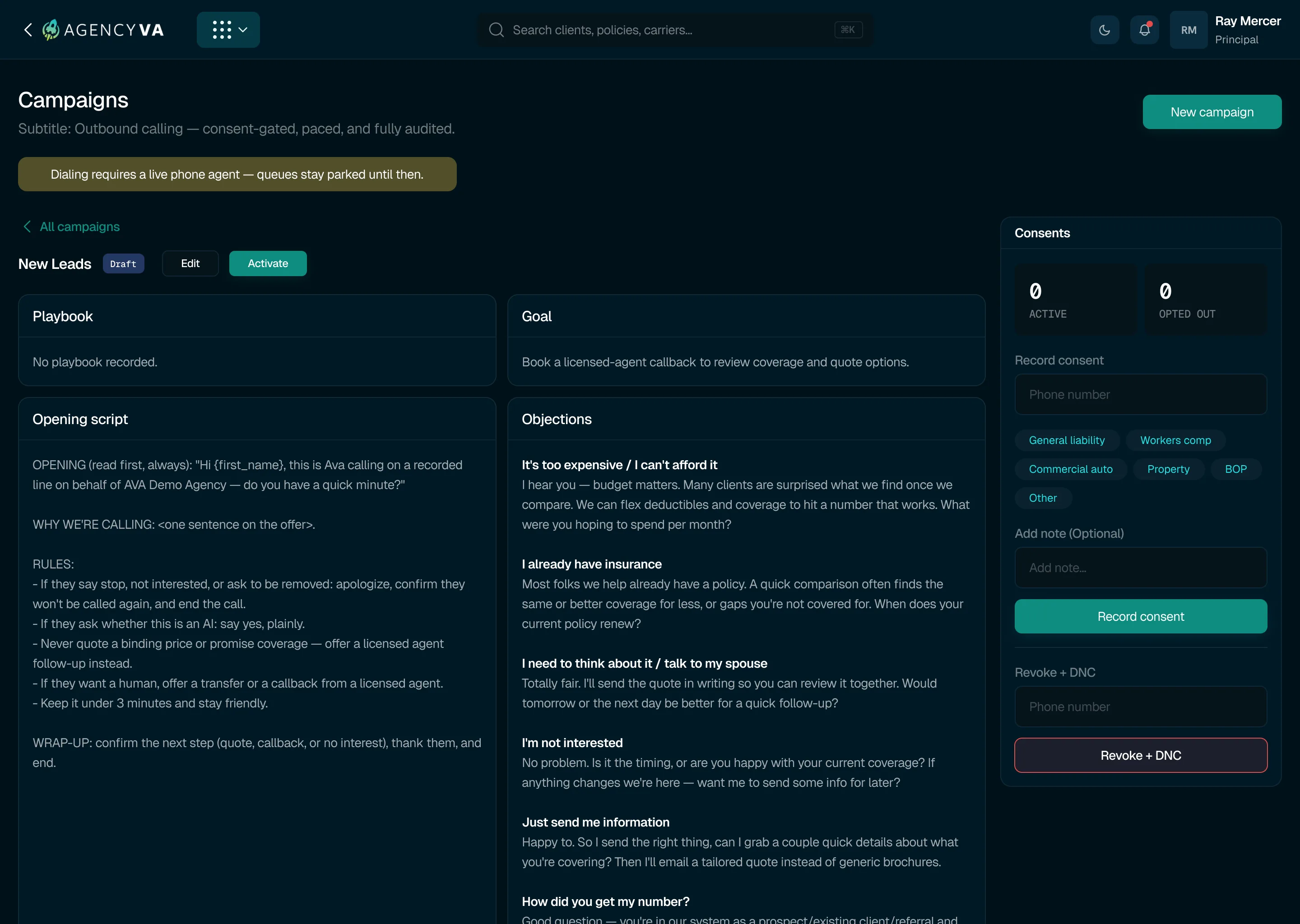
Campaigns
Run outbound calling through a controlled workflow
Set up and manage AI-assisted calling campaigns with defined
audiences, call pacing, maximum attempts, scripts,
playbooks, and queue status. Consent, revocation, and
do-not-call information remain part of the campaign
workflow.
08/11
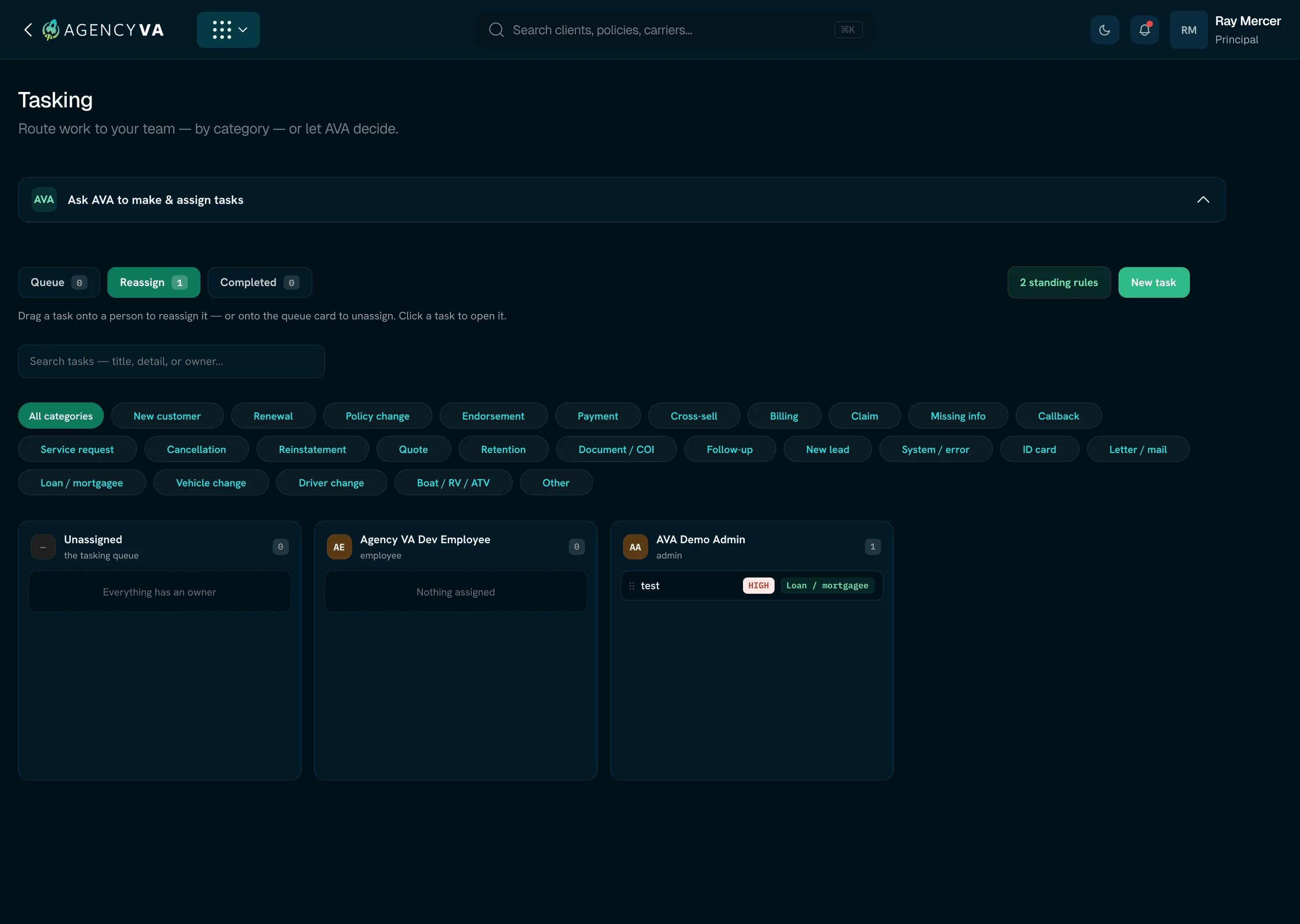
Tasking
Organize and route work across the agency
Create, assign, route, and track work from within AVA. Teams
can manage unassigned tasks, apply routing rules, review
workload, reassign work, and keep completed activity
available for reference.
09/11
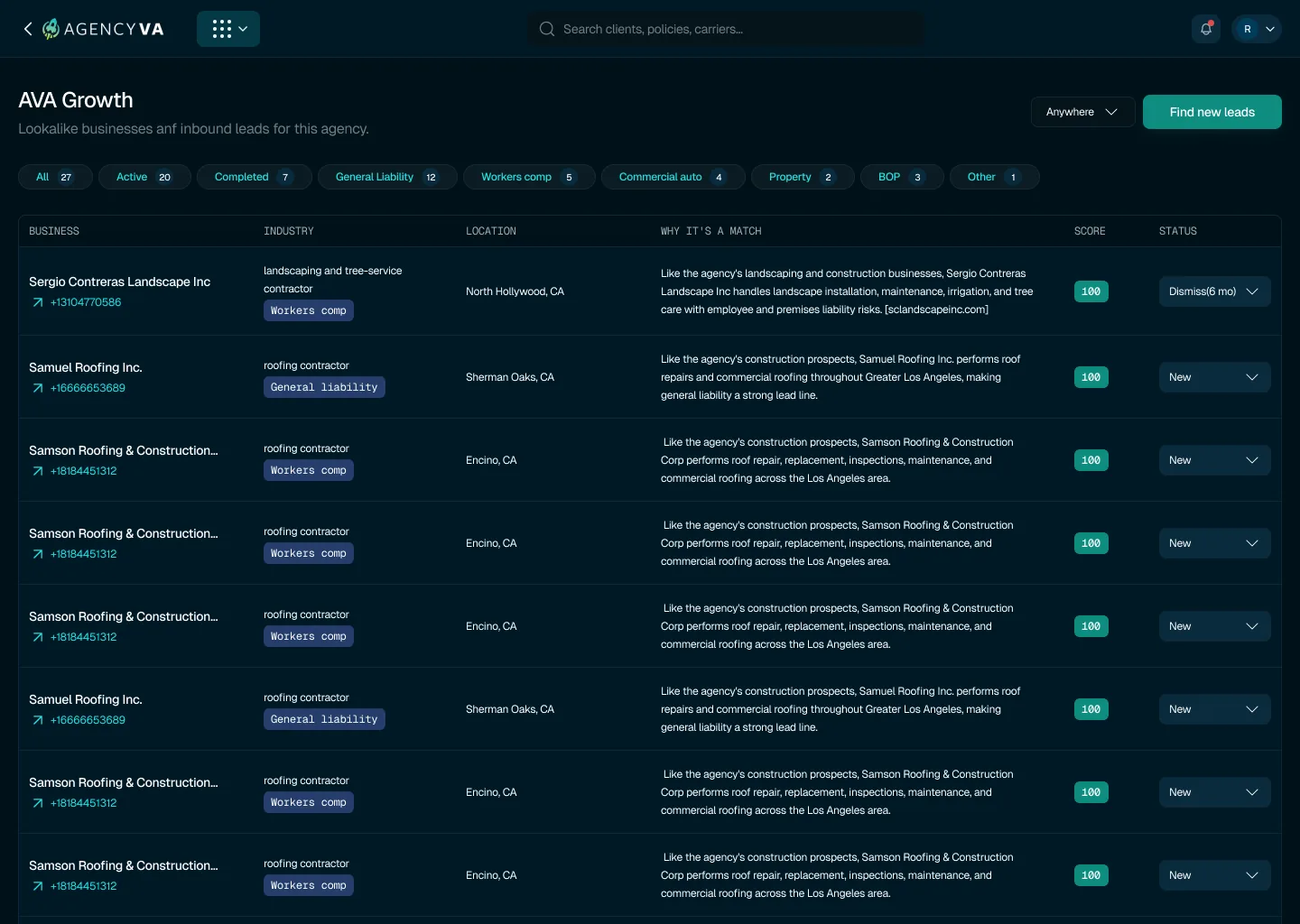
AVA Growth
Keep AI-assisted calls visible to the team
Review supported inbound and outbound calls together with
their outcome, category, sentiment, duration, summary, and
transcript. When a conversation requires a person, supported
workflows can be handed over to an available licensed team
member.
10/11
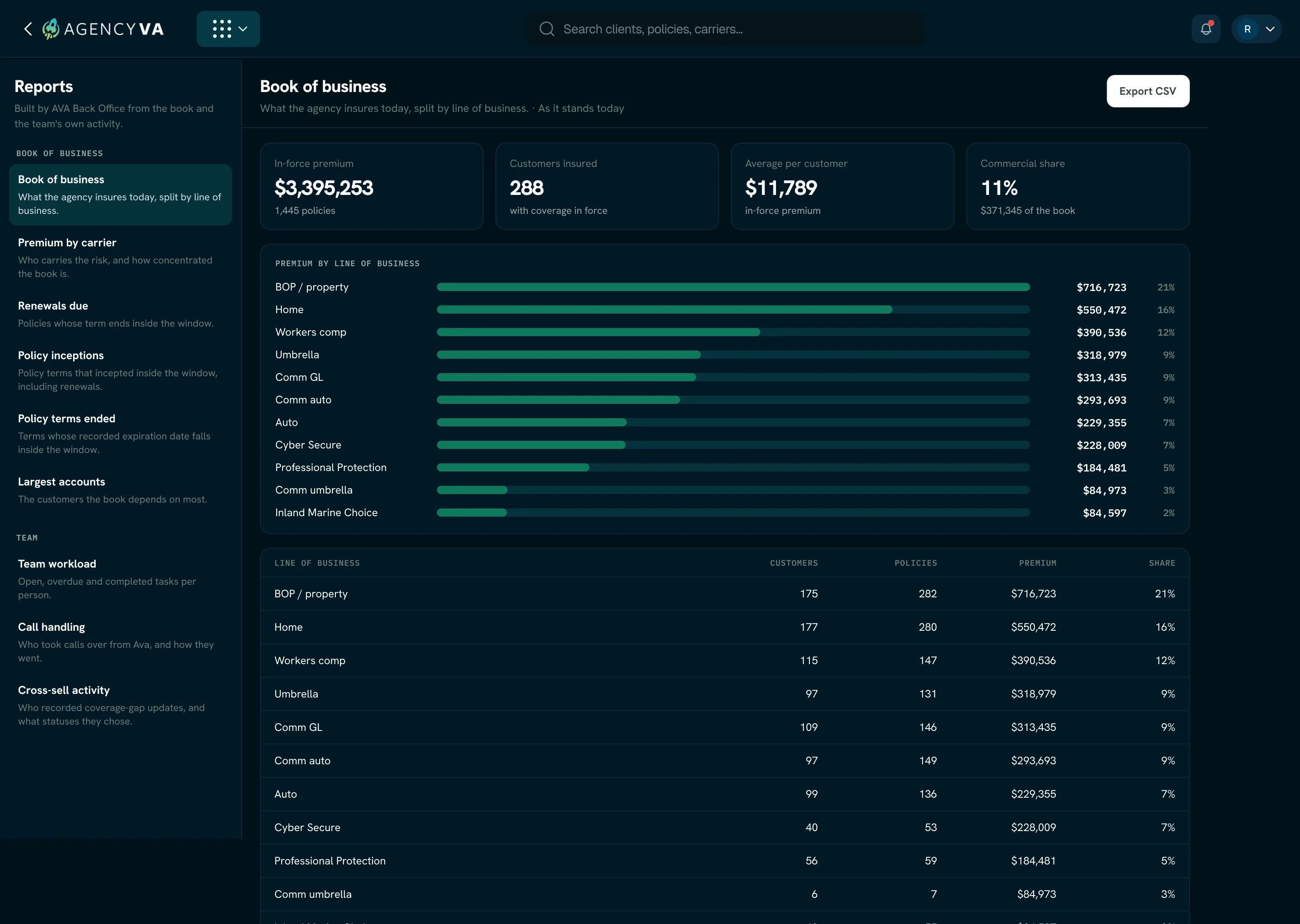
Reports
Review performance across the book and the team
Use reporting to examine areas such as premium, carriers,
lines of business, renewals, new business, workload, calls,
and cross-sell activity. Reports can be opened in more
detail and exported when required.
11/11
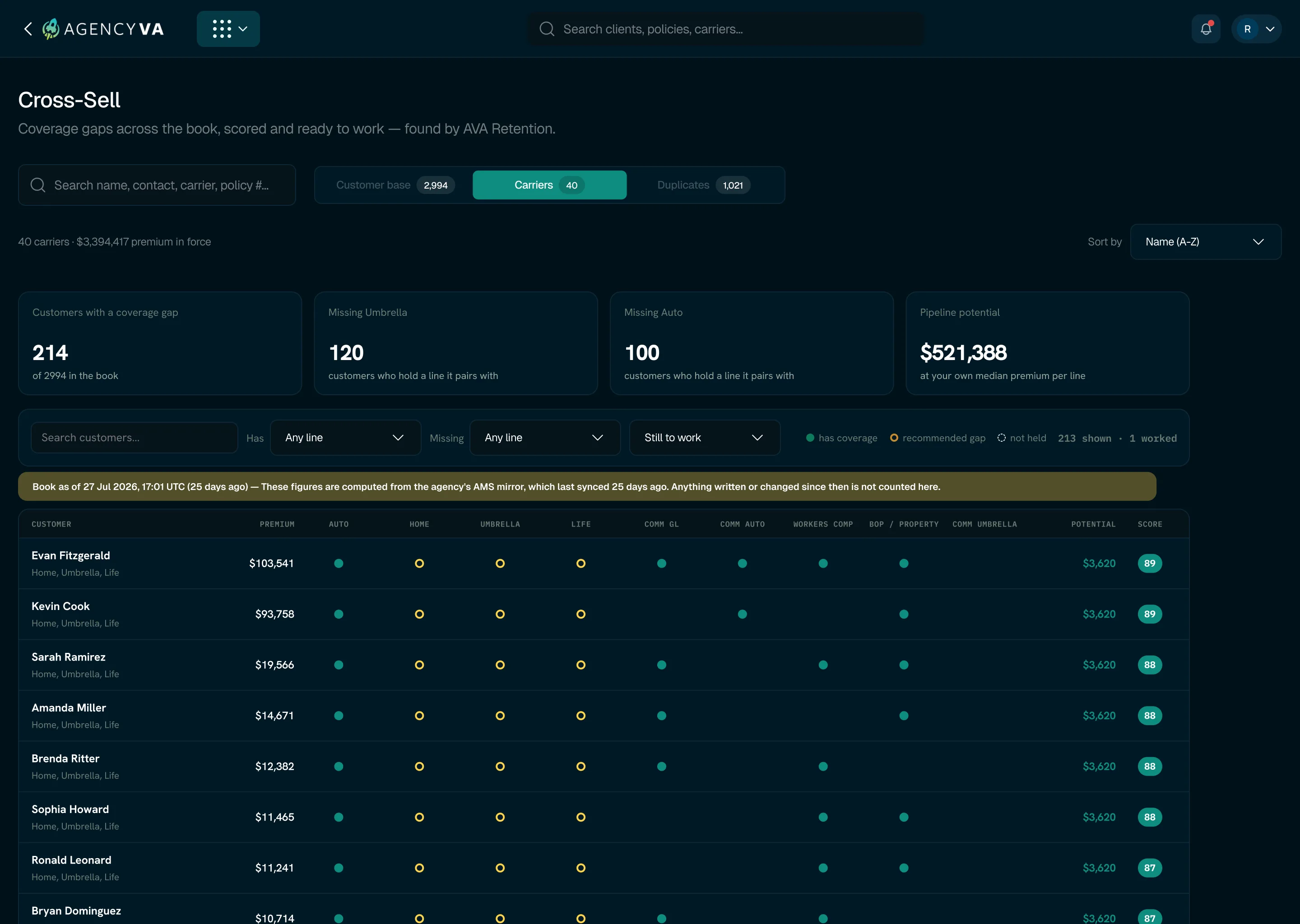
Retention & Cross-Sell
Identify accounts that may need attention
Review renewal risk and potential cross-sell opportunities
across the existing book. AVA surfaces relevant accounts and
provides context to help teams decide which opportunities
are worth reviewing or following up on.